What's new in Spline
New updates and improvements in Spline.
Remote MCP, native PBR and more
Oct 19, 2026

Spline's MCP server now runs in the cloud: ask ChatGPT, Claude or Cursor for a 3D scene and it's built in a real Spline file without the editor open, ready for you to open and keep editing. This update also brings PBR materials, booleans and timeline animations to the native iOS and Android exports, camera and light keyframes, smoother large files in Hana, and a long list of interaction fixes.
Changes
AI & agents
Remote Spline MCP server - Spline's MCP server now runs in the cloud, so no editor needs to be open. Add Spline from ChatGPT's plugin directory, or connect the server in Claude, Cursor and other MCP clients, sign in with your Spline account, and your AI tool can build and edit 3D scenes for you. Every change links to the file it made. Setup for each app is at spline.design/mcp.
Publish with AI - Ask Spline's AI assistant, or a connected tool like Claude or ChatGPT, to publish your scene and it hands back the public link.
Smarter interactions from agents - Agents can now write Set Variable expressions and Conditional conditions.
Animate imported models from code - Agents can play and control the animation clips of an imported GLB/glTF model from code.
New AI models - Newer, more capable models behind every tier, from Fast to Ultra Max, plus two new tiers to pick from: Astra and Argon.
3D editor
Camera and light keyframes - The timeline can show and keyframe camera zoom and lights.
Pause and stop animations - Animation actions can now pause or stop an animation, not only play it.
Decal targets - Choose which objects a decal projects onto.
Steadier transforms - Resizing groups and unparenting from a stretched parent keep each object's shape, fixing several long-standing viewport bugs, and pivot editing works on sheared objects.
Better glTF imports - Materials come in as named, shared physical materials, with their texture tiling and each mesh's morph target names.
New bevel engine - Flat shape extrusions and 3D paths use a new straight-skeleton bevel engine. Existing scenes keep their current extrusions.
Better video exports - Sharper video exports, and long exports stream to disk as they render so they no longer run out of memory.
Perspective camera framing - Better framing for perspective cameras in Preview, exports and published scenes.
Dashboard - Right-click a team, project or folder to share it or copy its link. Recents lists files you can view, with Show more.
Desktop app - Close Other Tabs and Close All Tabs in the tab menu.
Native exports (iOS and Android)
PBR materials, path extrusions, booleans, Align to Path, timeline animations and texture filtering now export to the native runtimes.
Hana
Faster large files - Dragging, editing, transforming and duplicating stay smooth in files with thousands of objects.
Drop shadows behind transparent areas - A new option shows a drop shadow through an object's transparent areas.
Exports - Cleaner curves in PDF and SVG exports, export entries in the frame menu, transparent backgrounds when BG Color is hidden, and the batch export button shows how many frames it will export.
Fixes
Interactions - Fixed transitions that froze mid-blend, jumped or skipped steps when chained, delayed or looped, scroll animations that didn't settle when scrolling back up, and Screen Resize breakpoints snapping back to the phone layout.
Rendering - Improved depth of field, transparency ordering and glass refraction on WebGPU.
Improvements and fixes
Remote MCP, native PBR and more
Oct 19, 2026
Spline's MCP server now runs in the cloud: ask ChatGPT, Claude or Cursor for a 3D scene and it's built in a real Spline file without the editor open, ready for you to open and keep editing. This update also brings PBR materials, booleans and timeline animations to the native iOS and Android exports, camera and light keyframes, smoother large files in Hana, and a long list of interaction fixes.
Changes
AI & agents
Remote Spline MCP server - Spline's MCP server now runs in the cloud, so no editor needs to be open. Add Spline from ChatGPT's plugin directory, or connect the server in Claude, Cursor and other MCP clients, sign in with your Spline account, and your AI tool can build and edit 3D scenes for you. Every change links to the file it made. Setup for each app is at spline.design/mcp.
Publish with AI - Ask Spline's AI assistant, or a connected tool like Claude or ChatGPT, to publish your scene and it hands back the public link.
Smarter interactions from agents - Agents can now write Set Variable expressions and Conditional conditions.
Animate imported models from code - Agents can play and control the animation clips of an imported GLB/glTF model from code.
New AI models - Newer, more capable models behind every tier, from Fast to Ultra Max, plus two new tiers to pick from: Astra and Argon.
3D editor
Camera and light keyframes - The timeline can show and keyframe camera zoom and lights.
Pause and stop animations - Animation actions can now pause or stop an animation, not only play it.
Decal targets - Choose which objects a decal projects onto.
Steadier transforms - Resizing groups and unparenting from a stretched parent keep each object's shape, fixing several long-standing viewport bugs, and pivot editing works on sheared objects.
Better glTF imports - Materials come in as named, shared physical materials, with their texture tiling and each mesh's morph target names.
New bevel engine - Flat shape extrusions and 3D paths use a new straight-skeleton bevel engine. Existing scenes keep their current extrusions.
Better video exports - Sharper video exports, and long exports stream to disk as they render so they no longer run out of memory.
Perspective camera framing - Better framing for perspective cameras in Preview, exports and published scenes.
Dashboard - Right-click a team, project or folder to share it or copy its link. Recents lists files you can view, with Show more.
Desktop app - Close Other Tabs and Close All Tabs in the tab menu.
Native exports (iOS and Android)
PBR materials, path extrusions, booleans, Align to Path, timeline animations and texture filtering now export to the native runtimes.
Hana
Faster large files - Dragging, editing, transforming and duplicating stay smooth in files with thousands of objects.
Drop shadows behind transparent areas - A new option shows a drop shadow through an object's transparent areas.
Exports - Cleaner curves in PDF and SVG exports, export entries in the frame menu, transparent backgrounds when BG Color is hidden, and the batch export button shows how many frames it will export.
Fixes
Interactions - Fixed transitions that froze mid-blend, jumped or skipped steps when chained, delayed or looped, scroll animations that didn't settle when scrolling back up, and Screen Resize breakpoints snapping back to the phone layout.
Rendering - Improved depth of field, transparency ordering and glass refraction on WebGPU.
Improvements and fixes
Introducing Hana V2
Aug 28, 2026
Introducing Hana V2, now with MCP support, WebGPU, GLB/GLTF imports, SVG and PDF exports, better vector editing and more.
Changes
MCP Access - MCP server letting external AI agents design in Hana's canvas.
Hana AI Agent - Chat prompts create content in Hana - UI designs, sites, app screens - built natively with Hana's object system, and edit existing content too.
Hana UI redesign focused on productivity.
Hana WebGPU - Hana editor now runs in WebGPU by default.
Full 3D GLTF/GLB support - Import GLTF/GLB models into designs as 3D objects, with animation inspector and 3D Shape effect settings.
SVG export - Export frames as vector SVG files.
PDF export - Export frames as PDF documents.
Adobe Illustrator files import - Import .ai files directly onto the canvas.
20+ new transitions - Over twenty new animation transition/easing types: sine, expo, circ, back, power, bezier in/out variants, spring, and more.
Grid layout maker - Smart-adjust tool that arranges selected objects into configurable grid layouts.
Image layer controls - New clipping and fit controls for image fills and layers.
Cmd-resize cropping - Holding Cmd while dragging a resize handle crops the image/video fill in place, imported media lands at half pixel size.
Text truncation - Overflowing text can truncate with an ellipsis.
Distance helper - Hold Alt to see measured distances between the selection and hovered objects.
Gap helper - Selecting multiple objects surfaces the gaps between them for even spacing.
Frame size templates - Preset device and social frame sizes when creating frames.
Contrast checker - The color picker shows contrast ratios so you can pick accessible color combinations.
Live collaborator cursors - Better real-time peer presence on the canvas: name-tag arrow cursors, per-user selection outlines, and visible box-selects.
Animatable state system - New animatable states in the data model, plus robust parsing that tolerates unknown or malformed documents.
Components/Instances - Instances resolve live from the on-canvas main object, eliminating synced copies and the nested-instance mechanism.
Faster autolayout & constraints - Layout and anchor-based constraints moved into the Rust runtime as single source of truth, replacing the parallel TypeScript implementation.
Smooth round corners (iOS) for custom shapes - Squircle corner smoothing extended from rectangles to custom shapes and all 2D primitives.
System fonts - The desktop app lists installed system fonts in the font picker, stored as references.
Improved zoom - Canvas zoom made smoothed, and proportional to scroll delta.
Big performance improvements - Idle-frame skipping, faster file loading, GPU extrude animation, better gradients, faster 3D shapes, and other optimizations.
Google Fonts refresh - Near 2000 fonts now available.
Introducing Hana V2
Aug 28, 2026
Introducing Hana V2, now with MCP support, WebGPU, GLB/GLTF imports, SVG and PDF exports, better vector editing and more.
Changes
MCP Access - MCP server letting external AI agents design in Hana's canvas.
Hana AI Agent - Chat prompts create content in Hana - UI designs, sites, app screens - built natively with Hana's object system, and edit existing content too.
Hana UI redesign focused on productivity.
Hana WebGPU - Hana editor now runs in WebGPU by default.
Full 3D GLTF/GLB support - Import GLTF/GLB models into designs as 3D objects, with animation inspector and 3D Shape effect settings.
SVG export - Export frames as vector SVG files.
PDF export - Export frames as PDF documents.
Adobe Illustrator files import - Import .ai files directly onto the canvas.
20+ new transitions - Over twenty new animation transition/easing types: sine, expo, circ, back, power, bezier in/out variants, spring, and more.
Grid layout maker - Smart-adjust tool that arranges selected objects into configurable grid layouts.
Image layer controls - New clipping and fit controls for image fills and layers.
Cmd-resize cropping - Holding Cmd while dragging a resize handle crops the image/video fill in place, imported media lands at half pixel size.
Text truncation - Overflowing text can truncate with an ellipsis.
Distance helper - Hold Alt to see measured distances between the selection and hovered objects.
Gap helper - Selecting multiple objects surfaces the gaps between them for even spacing.
Frame size templates - Preset device and social frame sizes when creating frames.
Contrast checker - The color picker shows contrast ratios so you can pick accessible color combinations.
Live collaborator cursors - Better real-time peer presence on the canvas: name-tag arrow cursors, per-user selection outlines, and visible box-selects.
Animatable state system - New animatable states in the data model, plus robust parsing that tolerates unknown or malformed documents.
Components/Instances - Instances resolve live from the on-canvas main object, eliminating synced copies and the nested-instance mechanism.
Faster autolayout & constraints - Layout and anchor-based constraints moved into the Rust runtime as single source of truth, replacing the parallel TypeScript implementation.
Smooth round corners (iOS) for custom shapes - Squircle corner smoothing extended from rectangles to custom shapes and all 2D primitives.
System fonts - The desktop app lists installed system fonts in the font picker, stored as references.
Improved zoom - Canvas zoom made smoothed, and proportional to scroll delta.
Big performance improvements - Idle-frame skipping, faster file loading, GPU extrude animation, better gradients, faster 3D shapes, and other optimizations.
Google Fonts refresh - Near 2000 fonts now available.
Introducing Spline V2
Aug 21, 2026
Introducing Spline V2, a complete rebuild of our 3d editor for the agentic era.
Changes
AI agent & generation
MCP access - External agents (Claude Code, Cursor, etc.) drive the 3D editor through MCP tools.
AI Chat agent - Generate or edit 3d scenes using AI agents within the 3D editor. Generated scenes are fully editable.
Deep AI scene editing - The agent can create and edit everything: objects, materials, lights, cameras, booleans, particles, cloners, paths, sky, variables, and full interactivity (events, tweens, states), as well as custom code-driven interactions.
AI scene composition - The agent can lay out structured, multi-object scenes, use procedural generators, and make changes scene-wide.
Preview tab - A new play mode for the 3d scene and any html or code interaction.
Code tab - Spline now supports HTML/JS code that can access to the scene's data and modify it, or create new procedural data during runtime. Agent generates HTML/JS layered over the 3d canvas; motion, interactivity or games can be code-driven by default.
Version history - Every AI prompt saves a Version History entry.
AI image & 3D AI gen tools - Chat generates textures/images and 3D models in the background while continuing work.
Rendering & engine
WebGPU renderer - New TSL-based WebGPU backend by the default, WebGL as fallback.
PBR material support - Image-based lighting (IBL), new map channels, BRDF, glTF interchange, and an HDR color pipeline.
Screen-space reflections - New reflection layer supporting SSR (WebGPU only), plus a Surface Shape/Mirror toggle. Mirror mode enables true planar mirror reflections with optional blur.
Physical Sky - Procedural sky with its own dome light, Light Intensity dial.
HDRi Sky - Support for .hdr as sky box with IBL, Show-BG switch keeping lighting only.
Height fog - Realistic camera-angle-dependent fog with Height and Both modes alongside classic depth fog.
Shape blend overhaul - New 512³ resolution, faster compute, ability to use any mesh as a shape blend.
Dust material layer - Procedural dust/snow accumulation shading on upward-facing surfaces.
Hair System - GPU accelerated hair strand simulation for growing hair from scalp shapes or any mesh, with lighting, shadows, wind, clumping.
Faster boolean operations - Roughly 4× faster overall, fixing subdiv baking and degenerate-geometry cases.
GPU instancing - Cloner now uses GPU mesh instancing; shared geometry+material pairs can get auto-collapsed into single instanced draws.
Vertex-color material layer - New material layer that imports and renders glTF per-vertex colors.
Physics upgrade - Improved physical character-controller contacts; dragged rigid bodies now drive kinematics properly.
Export size optimization - Smaller base runtime size, with adaptable size based on features, improving loading times.
Editor chrome redesign - Redesigned top nav (tabs left, toolbar centered, Preview = Play), Preview/Edit/Code stage tabs, refreshed light/dark themes with monochrome accent.
Performance overhaul - Idle-leak fixes, shadow caching, faster AO, faster selection, batched subdiv WASM, optimized path geometry, optimized soft shadows, faster tessellation.
Modeling & tools
Bevel/Chamfer tool - New mesh-editing bevel with round mode, segments control, floating toolbar with live rebuild, and smarter edge-loop selection.
Texture projection axes - X/Y/Z axis control for cylindrical and spherical texture projection.
Camera UX - Smooth perspective↔orthographic transitions.
Outliner type filter - Filter the outliner by object type.
Sculpt & mesh upgrades - Brush symmetry for sculpting plus UV support for sculpted and editable meshes.
New-file defaults refresh - Fresh files open in perspective with an offset camera, HDRi sky, soft shadows, darker default colors, no seed rectangle.
Import fidelity - GLB/glTF imports keep faithful PBR materials, intern textures as shared assets, accept separated assets and .hdr/.exr, land normalized to height 500.
Dashboard & app
Home redesign - New Home with a prompt hero, later a recents list plus bottom composer; prompts hand off directly into the editors' chat.
Workspace search - Sidebar-invoked modal searching files across the workspace.
Files & templates redesign - Reworked files list view, templates page with inline tabs, sidebar My-Files folders with paging and newest-first ordering.
New pricing plans - Restructured to Hobby/Pro/Max with per-plan credit selection, replacing the AI addon.
Deprecated
AI Style Transfer is now deprecated.
UI Scenes is deprecated in favor of the new html approach for UI generation. Files with existing UI scenes will load fine (and faster due to Hana’s replacing old UI renderer).
Frame Mode is deprecated, however the in-editor frame overlay still work as before.
Playmode is now Preview Mode.
Introducing Spline V2
Aug 21, 2026
Introducing Spline V2, a complete rebuild of our 3d editor for the agentic era.
Changes
AI agent & generation
MCP access - External agents (Claude Code, Cursor, etc.) drive the 3D editor through MCP tools.
AI Chat agent - Generate or edit 3d scenes using AI agents within the 3D editor. Generated scenes are fully editable.
Deep AI scene editing - The agent can create and edit everything: objects, materials, lights, cameras, booleans, particles, cloners, paths, sky, variables, and full interactivity (events, tweens, states), as well as custom code-driven interactions.
AI scene composition - The agent can lay out structured, multi-object scenes, use procedural generators, and make changes scene-wide.
Preview tab - A new play mode for the 3d scene and any html or code interaction.
Code tab - Spline now supports HTML/JS code that can access to the scene's data and modify it, or create new procedural data during runtime. Agent generates HTML/JS layered over the 3d canvas; motion, interactivity or games can be code-driven by default.
Version history - Every AI prompt saves a Version History entry.
AI image & 3D AI gen tools - Chat generates textures/images and 3D models in the background while continuing work.
Rendering & engine
WebGPU renderer - New TSL-based WebGPU backend by the default, WebGL as fallback.
PBR material support - Image-based lighting (IBL), new map channels, BRDF, glTF interchange, and an HDR color pipeline.
Screen-space reflections - New reflection layer supporting SSR (WebGPU only), plus a Surface Shape/Mirror toggle. Mirror mode enables true planar mirror reflections with optional blur.
Physical Sky - Procedural sky with its own dome light, Light Intensity dial.
HDRi Sky - Support for .hdr as sky box with IBL, Show-BG switch keeping lighting only.
Height fog - Realistic camera-angle-dependent fog with Height and Both modes alongside classic depth fog.
Shape blend overhaul - New 512³ resolution, faster compute, ability to use any mesh as a shape blend.
Dust material layer - Procedural dust/snow accumulation shading on upward-facing surfaces.
Hair System - GPU accelerated hair strand simulation for growing hair from scalp shapes or any mesh, with lighting, shadows, wind, clumping.
Faster boolean operations - Roughly 4× faster overall, fixing subdiv baking and degenerate-geometry cases.
GPU instancing - Cloner now uses GPU mesh instancing; shared geometry+material pairs can get auto-collapsed into single instanced draws.
Vertex-color material layer - New material layer that imports and renders glTF per-vertex colors.
Physics upgrade - Improved physical character-controller contacts; dragged rigid bodies now drive kinematics properly.
Export size optimization - Smaller base runtime size, with adaptable size based on features, improving loading times.
Editor chrome redesign - Redesigned top nav (tabs left, toolbar centered, Preview = Play), Preview/Edit/Code stage tabs, refreshed light/dark themes with monochrome accent.
Performance overhaul - Idle-leak fixes, shadow caching, faster AO, faster selection, batched subdiv WASM, optimized path geometry, optimized soft shadows, faster tessellation.
Modeling & tools
Bevel/Chamfer tool - New mesh-editing bevel with round mode, segments control, floating toolbar with live rebuild, and smarter edge-loop selection.
Texture projection axes - X/Y/Z axis control for cylindrical and spherical texture projection.
Camera UX - Smooth perspective↔orthographic transitions.
Outliner type filter - Filter the outliner by object type.
Sculpt & mesh upgrades - Brush symmetry for sculpting plus UV support for sculpted and editable meshes.
New-file defaults refresh - Fresh files open in perspective with an offset camera, HDRi sky, soft shadows, darker default colors, no seed rectangle.
Import fidelity - GLB/glTF imports keep faithful PBR materials, intern textures as shared assets, accept separated assets and .hdr/.exr, land normalized to height 500.
Dashboard & app
Home redesign - New Home with a prompt hero, later a recents list plus bottom composer; prompts hand off directly into the editors' chat.
Workspace search - Sidebar-invoked modal searching files across the workspace.
Files & templates redesign - Reworked files list view, templates page with inline tabs, sidebar My-Files folders with paging and newest-first ordering.
New pricing plans - Restructured to Hobby/Pro/Max with per-plan credit selection, replacing the AI addon.
Deprecated
AI Style Transfer is now deprecated.
UI Scenes is deprecated in favor of the new html approach for UI generation. Files with existing UI scenes will load fine (and faster due to Hana’s replacing old UI renderer).
Frame Mode is deprecated, however the in-editor frame overlay still work as before.
Playmode is now Preview Mode.
We’re excited to introduce Omma, a new way to turn descriptions into reality. Whether you’re looking to build a high-end 3D landing page, a functional app, or an interactive game, Omma handles the heavy lifting. By orchestrating multiple tasks in parallel—from writing code to generating 3D meshes—Omma lets you skip the boilerplate and move straight to shipping.
It is early days for the beta, so things might feel a bit experimental, but the core engine is ready for you to explore. You can start from a blank slate or remix what the community is already building.
Changes
Multi-Agent Workflow: Omma runs code, image, and 3D generation agents simultaneously to build complex scenes and apps in seconds.
Beyond Static Pages: Create interactive web apps and games powered by WebGPU, including physics-based simulations and real-time reflections.
Real Data Integration: Connect your projects to the real world with support for CSV, JSON, and DOC files, as well as GLB/GLTF 3D models.
Community Remixing: Don’t start from scratch—browse the community gallery to fork and customize existing projects.
Instant Deployment: Go from a prompt to a live URL with production-ready hosting and custom domain support.
Advanced Web Tech: Built-in support for industry standards like Three.js, Tailwind CSS, and React Three Fiber.
Parallel Iteration: Generate multiple variations of an idea at once, pick the best result, and keep building.
What’s the first thing you’re planning to describe and build?
Visit omma.build to get started.
We’re excited to introduce Omma, a new way to turn descriptions into reality. Whether you’re looking to build a high-end 3D landing page, a functional app, or an interactive game, Omma handles the heavy lifting. By orchestrating multiple tasks in parallel—from writing code to generating 3D meshes—Omma lets you skip the boilerplate and move straight to shipping.
It is early days for the beta, so things might feel a bit experimental, but the core engine is ready for you to explore. You can start from a blank slate or remix what the community is already building.
Changes
Multi-Agent Workflow: Omma runs code, image, and 3D generation agents simultaneously to build complex scenes and apps in seconds.
Beyond Static Pages: Create interactive web apps and games powered by WebGPU, including physics-based simulations and real-time reflections.
Real Data Integration: Connect your projects to the real world with support for CSV, JSON, and DOC files, as well as GLB/GLTF 3D models.
Community Remixing: Don’t start from scratch—browse the community gallery to fork and customize existing projects.
Instant Deployment: Go from a prompt to a live URL with production-ready hosting and custom domain support.
Advanced Web Tech: Built-in support for industry standards like Three.js, Tailwind CSS, and React Three Fiber.
Parallel Iteration: Generate multiple variations of an idea at once, pick the best result, and keep building.
What’s the first thing you’re planning to describe and build?
Visit omma.build to get started.
We're excited to share the latest features for Hana! Ready to try them out? Let’s explore! 🚀
Changes
Frame as Fill for 3D Meshes
Copy & Paste from Figma
Pages
Pencil Tool
Gradient & Image on Strokes
Improvement: Now is easier to control vector points
If you type spline.new it will create a new 3d spline file for you
We're excited to share the latest features for Hana! Ready to try them out? Let’s explore! 🚀
Changes
Frame as Fill for 3D Meshes
Copy & Paste from Figma
Pages
Pencil Tool
Gradient & Image on Strokes
Improvement: Now is easier to control vector points
If you type spline.new it will create a new 3d spline file for you
Spline and Hana January Updates
Jan 13, 2026
We just shipped a round of small improvements
Changes
3D editor
Improvement: 3d paths can now have uniform distribution on segments. You can switch between uniform and dynamic. This is especially useful on animation following the path.
Fixed issues on cloner panel content not updating on value changes.
Fixed pivot error on non updated file.
Hana
Improvement: Substantial performance improvement on 3d shapes. Around 2x better on memory management and 15% faster on gpu.
Several improvements on Frames. Select objects and press shift+a in order to frame them and apply layout.
Fixed issue on text selection precision happening on some cases.
Spline and Hana January Updates
Jan 13, 2026
We just shipped a round of small improvements
Changes
3D editor
Improvement: 3d paths can now have uniform distribution on segments. You can switch between uniform and dynamic. This is especially useful on animation following the path.
Fixed issues on cloner panel content not updating on value changes.
Fixed pivot error on non updated file.
Hana
Improvement: Substantial performance improvement on 3d shapes. Around 2x better on memory management and 15% faster on gpu.
Several improvements on Frames. Select objects and press shift+a in order to frame them and apply layout.
Fixed issue on text selection precision happening on some cases.
Tiny Updates for Spline and Hana
Dec 19, 2025
We’re rolling out several highly-requested features to give you more precision and flexibility over your 3D workflows. From core editor improvements in Spline—like the ability to manually reposition pivots—to expanded file support with USDZ imports, these updates are all about speeding up your creative process. We’ve also enhanced our Code API, allowing for deeper, real-time customization of material layers directly through code. Meanwhile, Hana gets a productivity boost with quicker access to essential building blocks.
Changes
Updates on Spline:
You can now change the Pivot position of your 3d objects! Just hold CMD/CTRL and move the pivot or adjust it manually using the floating panel.
The Code API (web) for Spline now supports material layers editing! This means that now you can do things like dynamically changing textures, and other material layer parameters. More in the API docs.
Support for support for USDZ file imports in Spline 3d editor.
Update on Hana:
Quick access to 3D shapes in Hana's toolbar
Tiny Updates for Spline and Hana
Dec 19, 2025
We’re rolling out several highly-requested features to give you more precision and flexibility over your 3D workflows. From core editor improvements in Spline—like the ability to manually reposition pivots—to expanded file support with USDZ imports, these updates are all about speeding up your creative process. We’ve also enhanced our Code API, allowing for deeper, real-time customization of material layers directly through code. Meanwhile, Hana gets a productivity boost with quicker access to essential building blocks.
Changes
Updates on Spline:
You can now change the Pivot position of your 3d objects! Just hold CMD/CTRL and move the pivot or adjust it manually using the floating panel.
The Code API (web) for Spline now supports material layers editing! This means that now you can do things like dynamically changing textures, and other material layer parameters. More in the API docs.
Support for support for USDZ file imports in Spline 3d editor.
Update on Hana:
Quick access to 3D shapes in Hana's toolbar
Introducing 3D Shapes in Hana
Dec 10, 2025
The 3D Shape effect lets you lift any 2D shape into 3D space with a single step, giving flat vector shapes depth, volume, and lighting instantly. Your original 2D shape remains fully editable, and any changes you make update the 3D form in real time. It introduces a groundbreaking step in the design workflow — making 3D creation as fast and intuitive as working with 2D shapes.
Changes
Added 3D Shape support in Hana — turn any 2D shape into a 3D object with lighting, materials, and environment maps for realistic shading
2D shapes stay fully editable, and the 3D object updates in real-time
All 3D Shape parameters can be modified between states for animation and interactivity
New Discover page with examples and templates using 3D Shape effect
Other fixes and improvements
Introducing 3D Shapes in Hana
Dec 10, 2025
The 3D Shape effect lets you lift any 2D shape into 3D space with a single step, giving flat vector shapes depth, volume, and lighting instantly. Your original 2D shape remains fully editable, and any changes you make update the 3D form in real time. It introduces a groundbreaking step in the design workflow — making 3D creation as fast and intuitive as working with 2D shapes.
Changes
Added 3D Shape support in Hana — turn any 2D shape into a 3D object with lighting, materials, and environment maps for realistic shading
2D shapes stay fully editable, and the 3D object updates in real-time
All 3D Shape parameters can be modified between states for animation and interactivity
New Discover page with examples and templates using 3D Shape effect
Other fixes and improvements
Introducing Light Mode Support
Nov 24, 2025
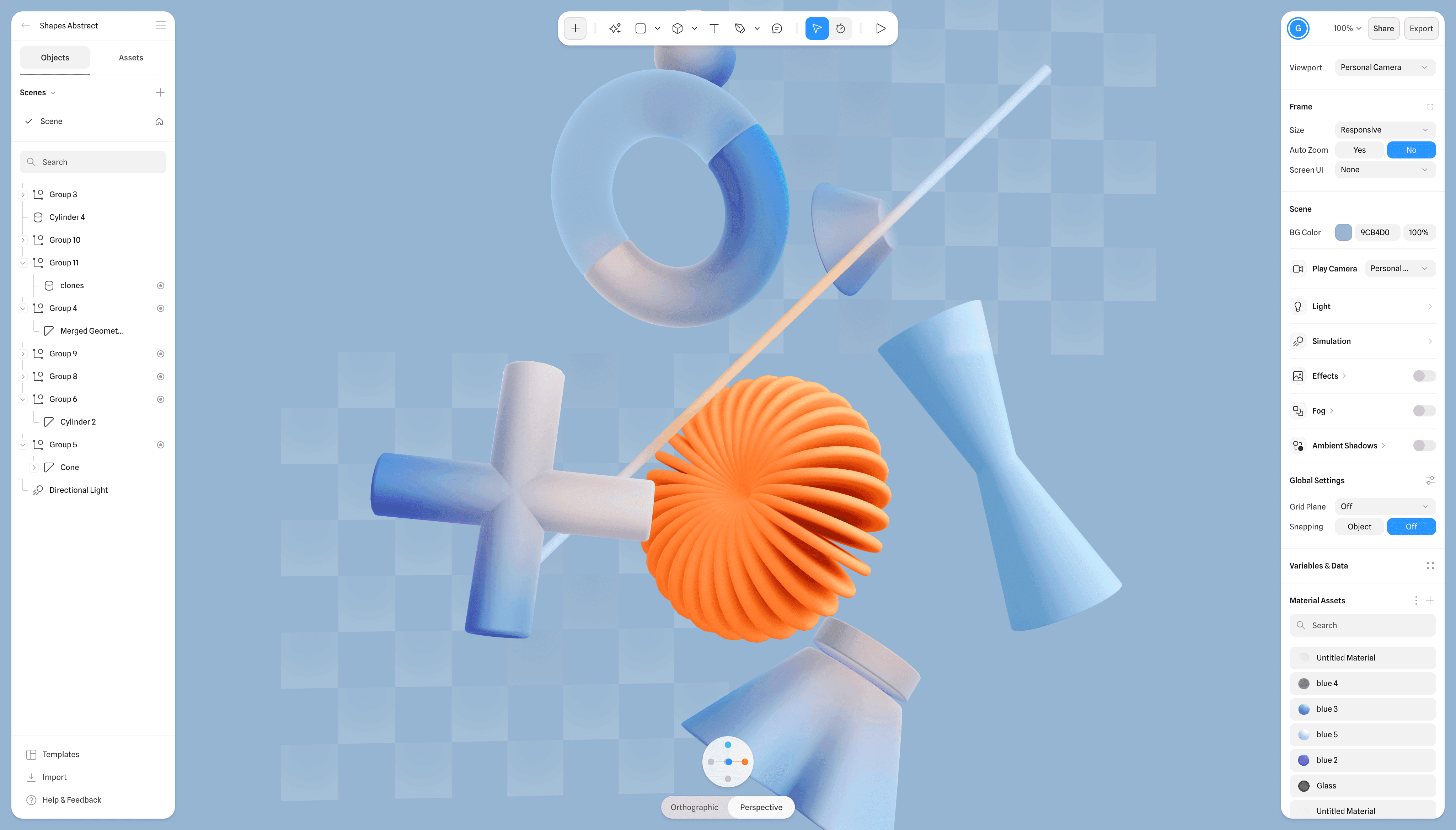
We’ve added full appearance support across the entire Spline platform, including both editors, with System, Light, and Dark modes. You can switch themes at any time from the Dashboard menu or the Editor’s main menu, or simply let the interface follow your system preference automatically.
Changes
Platform-wide appearance support
System / Light / Dark modes
Switchable from Dashboard or Editor menus
Support for automatic system preference
Other improvements and fixes
Introducing Light Mode Support
Nov 24, 2025
We’ve added full appearance support across the entire Spline platform, including both editors, with System, Light, and Dark modes. You can switch themes at any time from the Dashboard menu or the Editor’s main menu, or simply let the interface follow your system preference automatically.
Changes
Platform-wide appearance support
System / Light / Dark modes
Switchable from Dashboard or Editor menus
Support for automatic system preference
Other improvements and fixes
AI Image Generation in Hana
Oct 2, 2025
Hana now includes AI-powered features that expand the creative possibilities within your workflow. These tools allow you to generate, transform, and enhance images directly inside Hana, saving time while opening up new design directions. Whether you’re starting from scratch or iterating on existing work, AI can help you experiment more freely and achieve results faster.
Changes
Generate images with various models
Combine or modify images and frames
Make Variations, remove BG, and Upscale
Other improvements and fixes
AI Image Generation in Hana
Oct 2, 2025
Hana now includes AI-powered features that expand the creative possibilities within your workflow. These tools allow you to generate, transform, and enhance images directly inside Hana, saving time while opening up new design directions. Whether you’re starting from scratch or iterating on existing work, AI can help you experiment more freely and achieve results faster.
Changes
Generate images with various models
Combine or modify images and frames
Make Variations, remove BG, and Upscale
Other improvements and fixes
Introducing Timeline Animation for Spline 3D
Sep 18, 2025
Spline’s timeline animation lets you bring your 3D designs to life with smooth, keyframe-based motion. You can animate properties like position, rotation, scale, and much more over time, making it easier to define the timing of your animations. Refine the flow of your keyframe transitions with the built-in graph editor. Available now in Beta.
Changes
Keyframe controls
Curve controls
Events support for Timeline
Video export support for Timeline
New toolbar UI
Improvements and fixes
Introducing Timeline Animation for Spline 3D
Sep 18, 2025
Spline’s timeline animation lets you bring your 3D designs to life with smooth, keyframe-based motion. You can animate properties like position, rotation, scale, and much more over time, making it easier to define the timing of your animations. Refine the flow of your keyframe transitions with the built-in graph editor. Available now in Beta.
Changes
Keyframe controls
Curve controls
Events support for Timeline
Video export support for Timeline
New toolbar UI
Improvements and fixes
Vector Masking in Hana
Aug 27, 2025
Masks let you hide or reveal content using a vector shape. Instead of permanently erasing parts of an image or layer, a mask defines which areas remain visible. Everything inside the mask shape is shown, while anything outside is hidden. Vector Masks can also be animated and interactive using events and actions.
Changes
New: Vector Masking – hide or reveal content using a vector shape.
Faster loading of large files with many assets
Minor improvements and fixes.
Vector Masking in Hana
Aug 27, 2025
Masks let you hide or reveal content using a vector shape. Instead of permanently erasing parts of an image or layer, a mask defines which areas remain visible. Everything inside the mask shape is shown, while anything outside is hidden. Vector Masks can also be animated and interactive using events and actions.
Changes
New: Vector Masking – hide or reveal content using a vector shape.
Faster loading of large files with many assets
Minor improvements and fixes.
3D Projections and Noise Effects in Hana
Aug 12, 2025
We are announcing a new update that continues our efforts to unlock further creativity in Spline Hana, with features like 3D Projections, Layer Noise, and Noise Glass.
Changes
New: 3D Projection – wraps 2D layers onto a three-dimensional shape, adding depth, curvature, and realistic lighting. Use it to simulate volumetric projections, creating a more immersive scene.
New: Layer Noise – adds procedural variation to a surface, introducing organic texture or displacement. It’s useful for breaking up uniform areas, creating natural imperfections, or adding dynamic motion.
New: Noise Glass – distorts a surface as if viewed through textured or uneven glass, creating refractive ripples and visual warping. It can be used to simulate frosted glass, water surfaces, or heat haze.
Minor improvements and fixes.
3D Projections and Noise Effects in Hana
Aug 12, 2025
We are announcing a new update that continues our efforts to unlock further creativity in Spline Hana, with features like 3D Projections, Layer Noise, and Noise Glass.
Changes
New: 3D Projection – wraps 2D layers onto a three-dimensional shape, adding depth, curvature, and realistic lighting. Use it to simulate volumetric projections, creating a more immersive scene.
New: Layer Noise – adds procedural variation to a surface, introducing organic texture or displacement. It’s useful for breaking up uniform areas, creating natural imperfections, or adding dynamic motion.
New: Noise Glass – distorts a surface as if viewed through textured or uneven glass, creating refractive ripples and visual warping. It can be used to simulate frosted glass, water surfaces, or heat haze.
Minor improvements and fixes.
Today, we're introducing a powerful set of new features in Hana, including 3D transforms, Auto Layout, Liquid Glass effect, and video layers. This unlocks a wide range of new capabilities to help you bring your ideas to life.
Changes
New: 3D Transforms lets you rotate and transform layers in 3D space with depth and perspective controls.
New: Auto Layout makes arranging elements faster and more flexible, with alignment, padding, gap, wrap, and masonry layout options.
New: Liquid Glass effect simulates the natural distortion, refraction, and depth of real glass surfaces with support for animation. Inspired by Apple’s new Liquid Glass design language.
New: Video Layers allows you to import videos and apply a video fill to frames and shapes.
Performance: Hana is now ~2x faster on large scenes.
Minor improvements and fixes.
Today, we're introducing a powerful set of new features in Hana, including 3D transforms, Auto Layout, Liquid Glass effect, and video layers. This unlocks a wide range of new capabilities to help you bring your ideas to life.
Changes
New: 3D Transforms lets you rotate and transform layers in 3D space with depth and perspective controls.
New: Auto Layout makes arranging elements faster and more flexible, with alignment, padding, gap, wrap, and masonry layout options.
New: Liquid Glass effect simulates the natural distortion, refraction, and depth of real glass surfaces with support for animation. Inspired by Apple’s new Liquid Glass design language.
New: Video Layers allows you to import videos and apply a video fill to frames and shapes.
Performance: Hana is now ~2x faster on large scenes.
Minor improvements and fixes.
Now you can export videos in Hana! We also added stroke trimming controls for animation and interaction.
Changes
New: Export MP4 videos in Hana. Options to choose FPS and resolution of the video.
New: Animate trimming of strokes.
New: Stroke dash animation is now possible.
Minor improvements and fixes.
Now you can export videos in Hana! We also added stroke trimming controls for animation and interaction.
Changes
New: Export MP4 videos in Hana. Options to choose FPS and resolution of the video.
New: Animate trimming of strokes.
New: Stroke dash animation is now possible.
Minor improvements and fixes.
Progressive Blur and Gradients in Hana
May 27, 2025
Hana now supports Progressive Blur! We've also added support for smooth gradients. All interactive, all real-time.
Changes
New support for Progressive Blur.
Progressive Blur works in Layer Blur and Background Blur.
New support for Gradients.
Gradients can be linear, radial, and polar (angular)
New Smooth gradients with natural color blending.
Performance improvements in the editor.
Small improvements and fixes.
Progressive Blur and Gradients in Hana
May 27, 2025
Hana now supports Progressive Blur! We've also added support for smooth gradients. All interactive, all real-time.
Changes
New support for Progressive Blur.
Progressive Blur works in Layer Blur and Background Blur.
New support for Gradients.
Gradients can be linear, radial, and polar (angular)
New Smooth gradients with natural color blending.
Performance improvements in the editor.
Small improvements and fixes.
Load More